How to Manage Kids’ Online Purchases in Games Safely? 2026
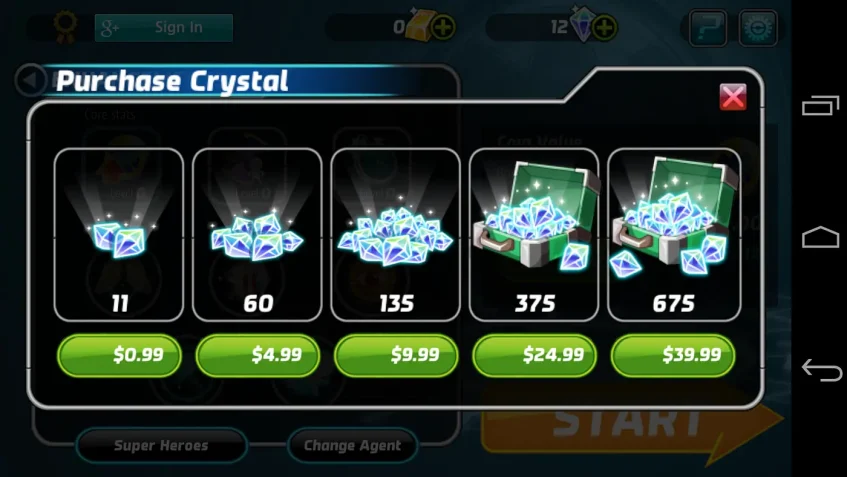
In-game purchases can be tempting and often add up faster than kids realize, especially if they don’t fully understand money. That’s why it’s important to teach children how to make thoughtful decisions when spending on games. By managing kids’ online purchases in games, parents can help prevent overspending and create a safer, more mindful gaming experience.
Why It’s Important to Manage Kids’ Online Purchases in Games
Helping children navigate in-game purchases isn’t just about saving money—it’s about teaching responsibility and fostering healthy digital habits. Here are three reasons why managing online spending in games is essential:
Children May Not Understand Real Money Value
Many kids see in-game items as virtual objects and may not realize that purchasing them costs real money. Teaching children to understand the true value of money helps them make thoughtful decisions and prevents unintended overspending.
A 2023 survey found that 68% of children under 12 cannot distinguish between virtual game currency and real money.
In-Game Purchases Can Add Up Quickly
Even small purchases can accumulate, sometimes leading to significant amounts. By setting boundaries and monitoring spending, parents can prevent unexpected charges and teach kids financial responsibility from a young age.
Research by the Entertainment Software Association (ESA) shows that 45% of parents reported unexpected charges from in-game purchases in the past year.
Encourages Healthy Digital Habits
Managing purchases also teaches children to approach gaming mindfully. They learn to consider whether an item or offer is necessary and how to prioritize choices, which promotes critical thinking and responsible gaming habits.
Studies indicate that children who discuss spending decisions with parents are 60% more likely to make thoughtful choices and develop responsible gaming behaviors.
How to Help Kids Spend Wisely in Games (5 Tips)
Now that you understand why managing in-game spending matters, it’s time to focus on what you can actually do at home. The following five tips offer simple, practical ways to help children build better spending habits in games.
Tip 1: Explain the Real Money Value
Start by helping your child understand that in-game items are not free—they cost real money. Use simple examples from daily life to show how small purchases can quickly add up. When kids see the connection between virtual items and real spending, they are more likely to think twice before buying and prevent them overspending in games.

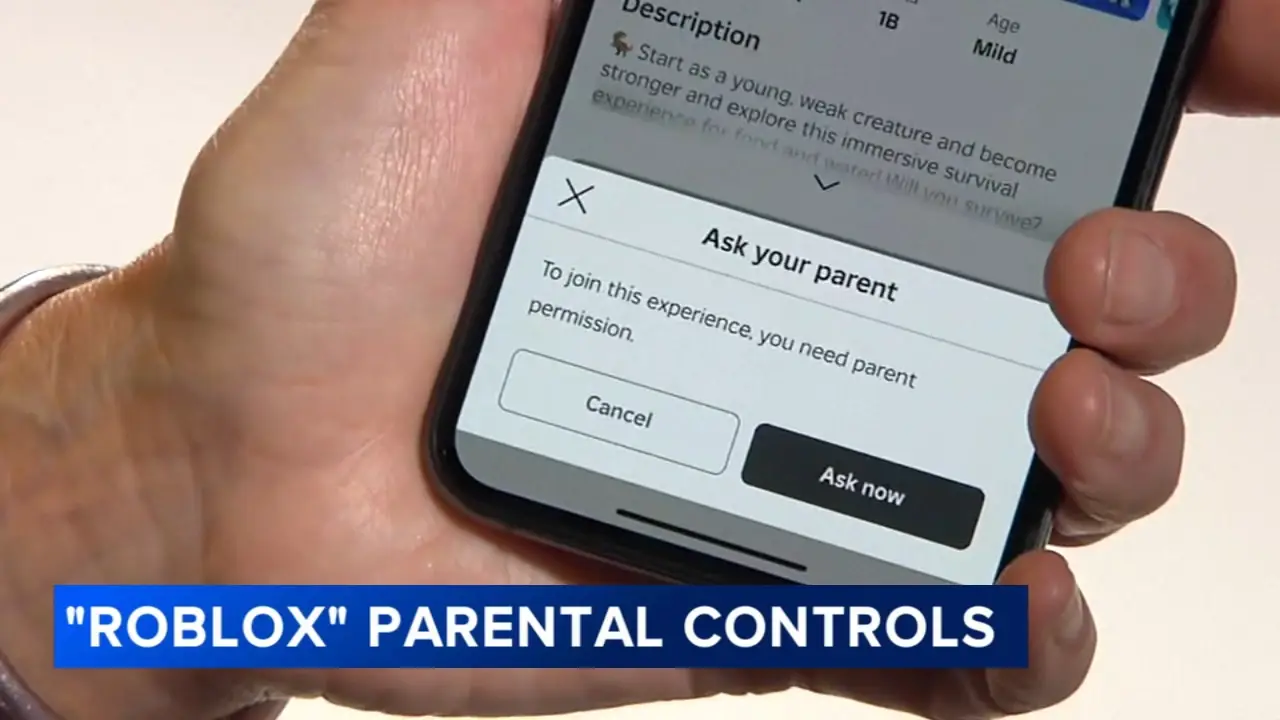
Tip 2: Set Up Parental Controls on Gaming Platforms
Most gaming platforms include basic parental controls that are easy to set up. You can use them to restrict purchases, set spending limits, and manage which content your child can access. These settings make it much easier to control kids’ online game spending while still letting them enjoy their games.
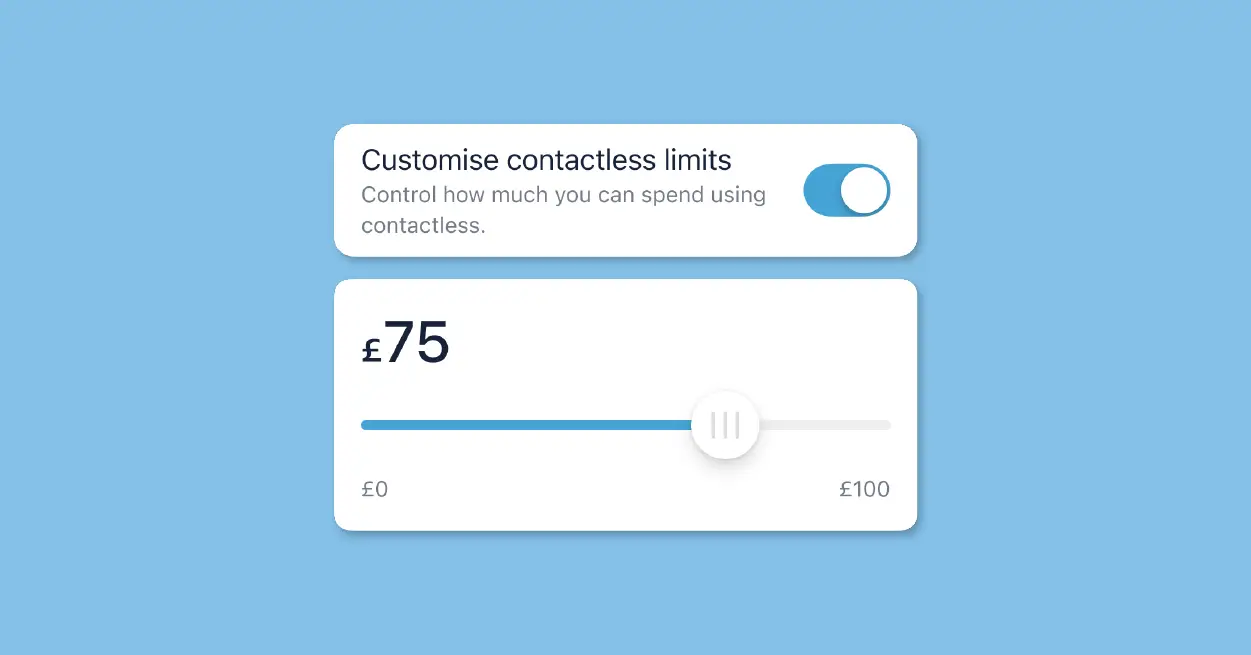
Tip 3: Decide on Clear Spending Limits
Sit down with your child and agree on a weekly or monthly game budget. Let them be part of the decision so they feel responsible for sticking to it. Clear limits not only teach money habits early, but also help prevent kids from overspending in games without constant arguments.
Tip 4: Use a Parental Control App
Parental control apps like iKeyMonitor add another layer of protection. These tools can block unauthorized purchases and show you how much time your child spends on games. This way, you can control your children’s in-game purchases without turning gaming into a daily struggle.

Tip 5: Encourage Open Conversations
Keep the conversation going about in-game offers, limited-time deals, and special items. Ask your child why they want a certain purchase and help them think it through. When kids feel heard rather than controlled, they are more open about spending, and it becomes easier to monitor kids’ in-game purchases in a healthy way.

Keep Kids Safe Online While Managing In-Game Purchases with iKeyMonitor
Beyond the tips above, parents who want extra protection can use iKeyMonitor. This app makes it easier to track kids’ online purchases in games and control them online game spending. With iKeyMonitor, you can monitor keystrokes and SMS messages, block apps or games, capture screenshots, and receive alerts about potential risks. These features help your child stay safe online while learning to make responsible decisions about in-game spending.
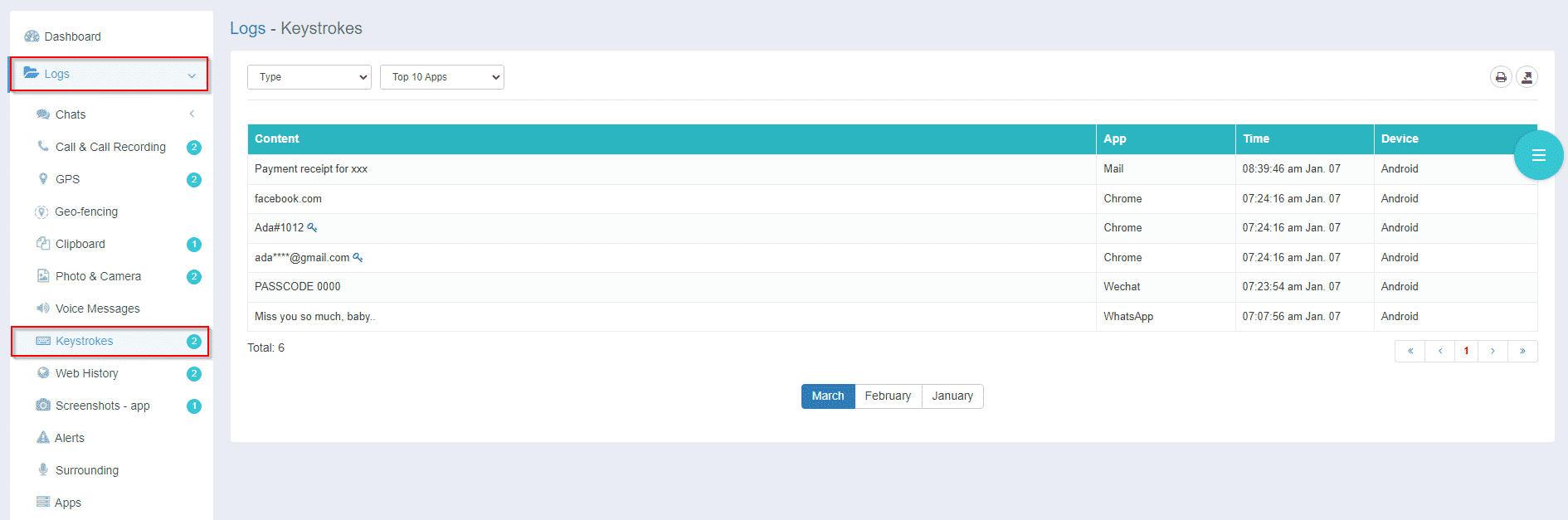
Monitor Keystrokes to Spot Risky Spending
With iKeyMonitor, you can track the keystrokes your child types on their device. This helps you spot risky behavior or early signs of overspending in games, so you can guide them toward safer choices.
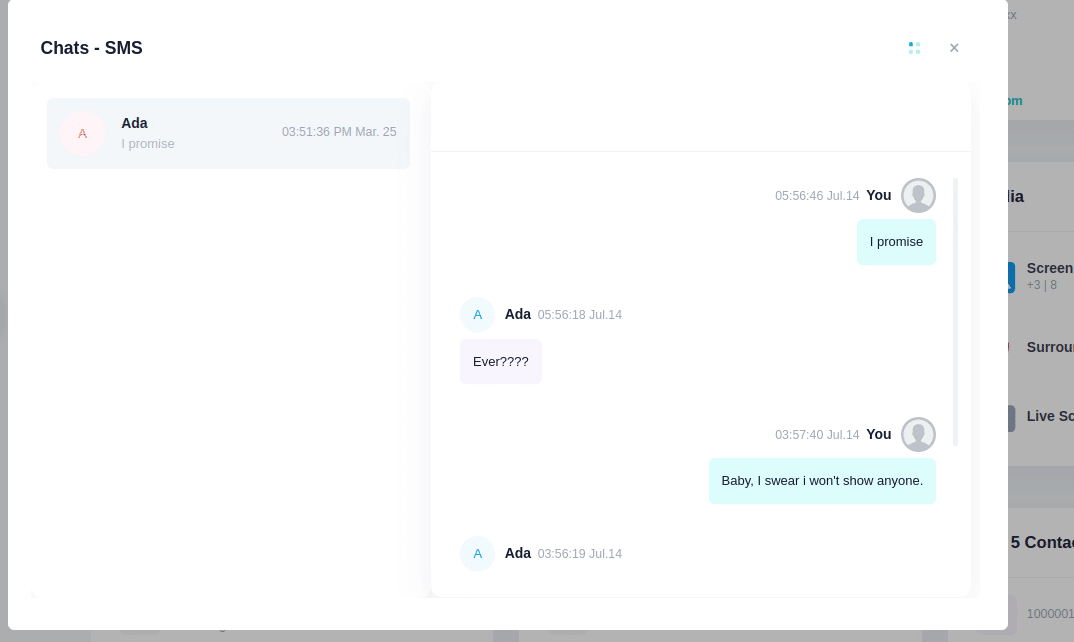
Review SMS Messages for In-Game Offers
iKeyMonitor lets you check SMS messages your child sends and receives. By monitoring messages for in-game promotions or peer pressure, you can better understand what might influence their spending decisions.
Block Specific Games or Apps to Prevent Overspending
The app allows you to restrict access to certain games or apps. Using this feature, you can prevent accidental or unauthorized purchases and reduce exposure to content that encourages unnecessary spending.

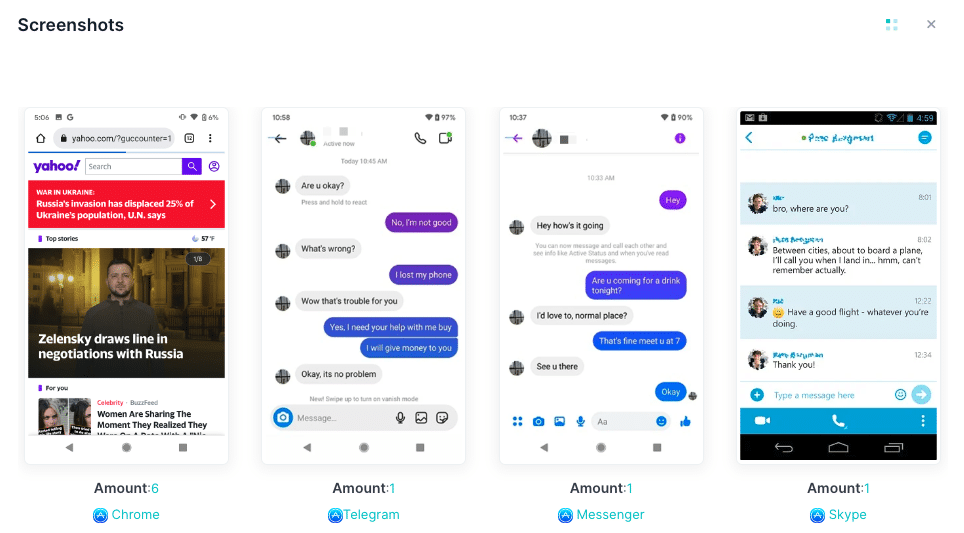
Capture Screenshots to Monitor Gaming Activity
iKeyMonitor can automatically capture screenshots of your child’s device activity. This lets you see in-game behavior and ads directly, helping your child make informed choices about purchases.
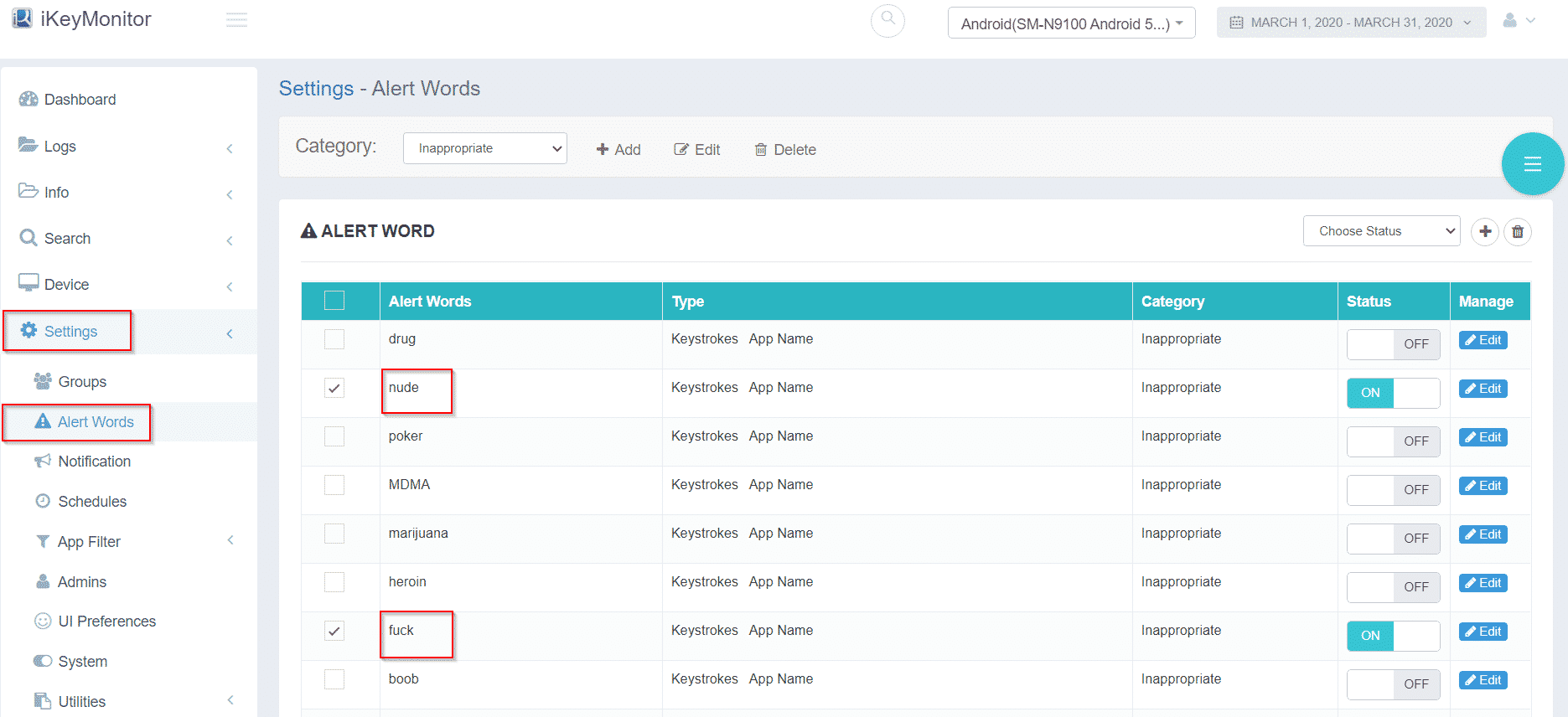
Receive Alerts for Potential Risks or Overspending
With iKeyMonitor, you get real-time alerts when suspicious activity or risky spending occurs. These notifications allow you to act quickly, provide guidance, and reinforce responsible habits in games.
Additional Tips to Reinforce Healthy Spending Habits in Games
Beyond the main five strategies, these extra tips offer added support for parents who want to build stronger spending habits at home. They focus on daily communication, real-life practice, and positive reinforcement to help kids make better choices over time.
- Practice Role-Playing: Simulate in-game purchase scenarios and discuss decision-making together.
- Lead by Example: Demonstrate careful spending in games or apps yourself to show responsible habits.
- Reward Responsible Behavior: Praise your child when they make thoughtful choices about in-game purchases.
FAQs About Kids’ Online Game Purchases
Q1: At what age should I start managing my child’s in-game spending?
It’s best to start discussions around ages 7–8 when children begin using devices independently.
Q2: Can parental controls completely prevent overspending?
They help a lot, but teaching kids about money and decision-making is equally important. Using tools to control kids’ online game spending is very effective.
Q3: How can I explain in-game purchases without discouraging gaming?
Focus on awareness and choice. Explain costs and help them weigh whether a purchase is worth it.
Q4: Are monitoring apps like iKeyMonitor safe to use?
Yes, these apps are designed to provide visibility and safety, not to spy. They support open conversations about spending and online safety, helping prevent overspending in games.
Q5: How can schools help teach kids about responsible in-game spending?
Schools can incorporate lessons on digital citizenship and financial literacy, helping children understand virtual transactions responsibly and control children’s in-game purchases.
Conclusion
Teaching children to handle spending in games responsibly helps them make smarter choices and develop good digital habits. By explaining money value, setting clear limits, and keeping open conversations, parents can guide kids to enjoy games safely while building lasting responsibility.
Tags: control kids’ online game spending, Kids’ Online Purchases in Games, monitor kids’ in-game purchases, prevent kids from overspending in games, track kids’ online purchases in games
Category: Learning & How to