ChatGPT for Teens: How Parental Controls and Safety Features Work 2026
ChatGPT for Teens is designed to give teenagers access to ChatGPT with added age-appropriate protections and optional parental controls. If you are a parent, the key point is simple: you can shape how your teen uses the service without reading their private conversations.
How the Teen Experience Is Enabled
Eligible users identified as under 18 may be placed into ChatGPT for Teens automatically. OpenAI can use account age information, age verification, and account-related signals used for age prediction to determine whether teen protections should apply.
Parents do not necessarily need to turn on this experience themselves. Availability and rollout may differ by region, so the settings shown to one family may not yet appear for another.
If an adult is mistakenly placed in the teen experience, age verification can be used to remove the teen restrictions. This approach aims to apply stronger protections to users aged 13 to 17 while avoiding unnecessary limits for adults.
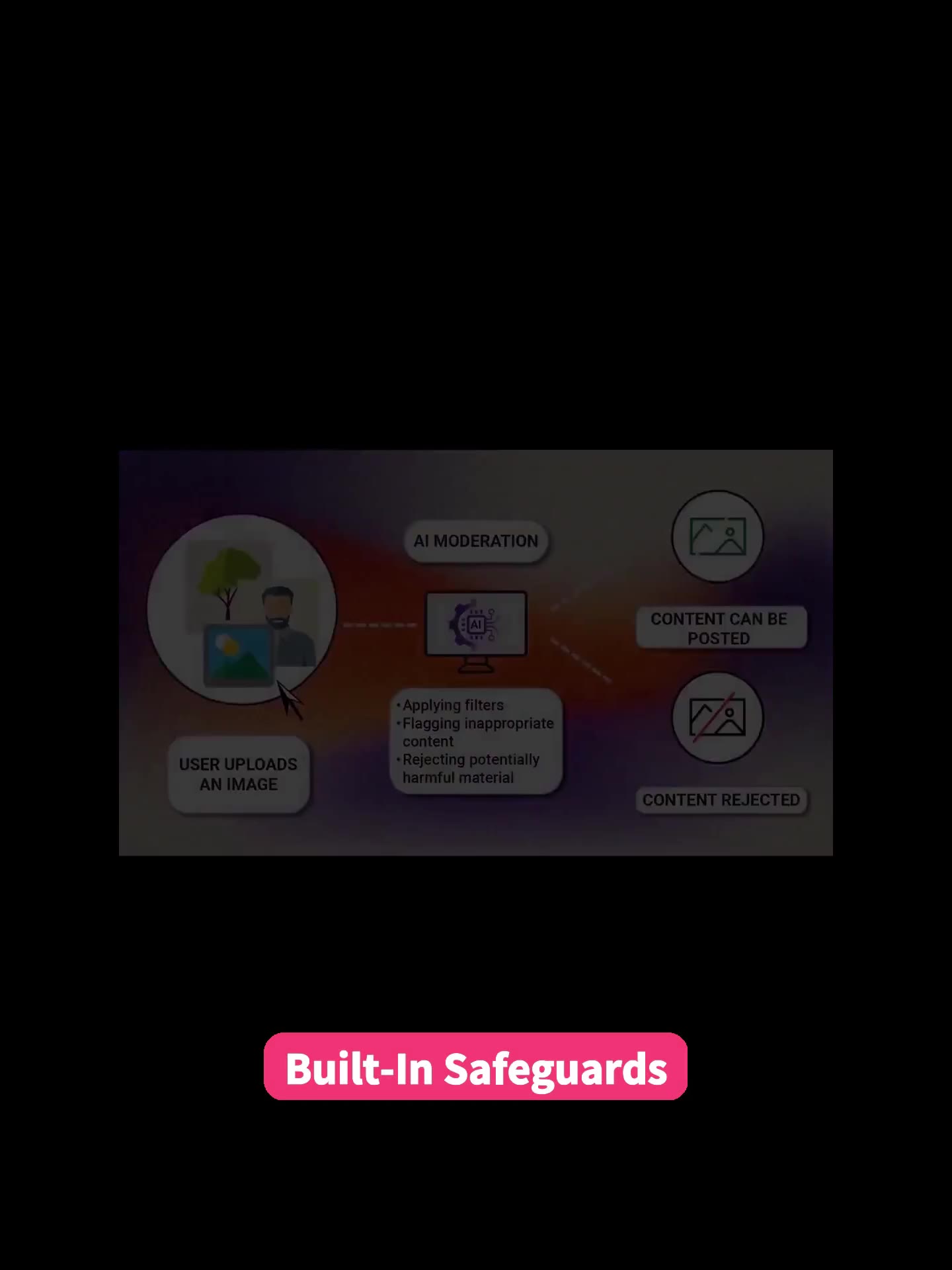
Built-In Protections for Higher-Risk Topics
The teen experience includes safeguards by default. These protections are intended to make responses more careful and suitable for a younger audience, especially when a conversation involves sensitive or potentially harmful subjects.
Extra caution is designed around topics such as:
- Self-harm
- Violence
- Eating disorders
- Dangerous activities
- Sexual or explicit material
- Graphic content
These safeguards are not meant to prevent teens from asking important or difficult questions. A teenager may still need help understanding a troubling subject, researching a health concern, or discussing a frightening situation. The goal is to provide a safer, more age-appropriate response rather than treating every sensitive question as off-limits.
That distinction matters. A useful safety setting should support learning and encourage a teen to seek appropriate help when needed, not simply shut down curiosity.
How to Link a Parent and Teen Account
Parental Controls become available when a parent’s account is linked with a teenager’s account. The linking process requires participation from both people, which helps make the arrangement clear rather than secretive.
To send an invitation:
- Open ChatGPT and go to **Settings**.
- Choose **Parental Controls**.
- Select **Add Family Member**.
- Send an invitation using the teen’s email address or phone number.
- Have the teenager accept the invitation.
A teen can also start the process by inviting a parent or guardian. Until the invitation is accepted, the accounts are not linked.
Before setting controls, it is helpful to talk through the choices together. For example, a family might agree that image generation is fine for school projects but should be disabled if it is being misused. Shared expectations make the settings more useful and reduce the feeling that they are simply a punishment.
What Parents Can Control
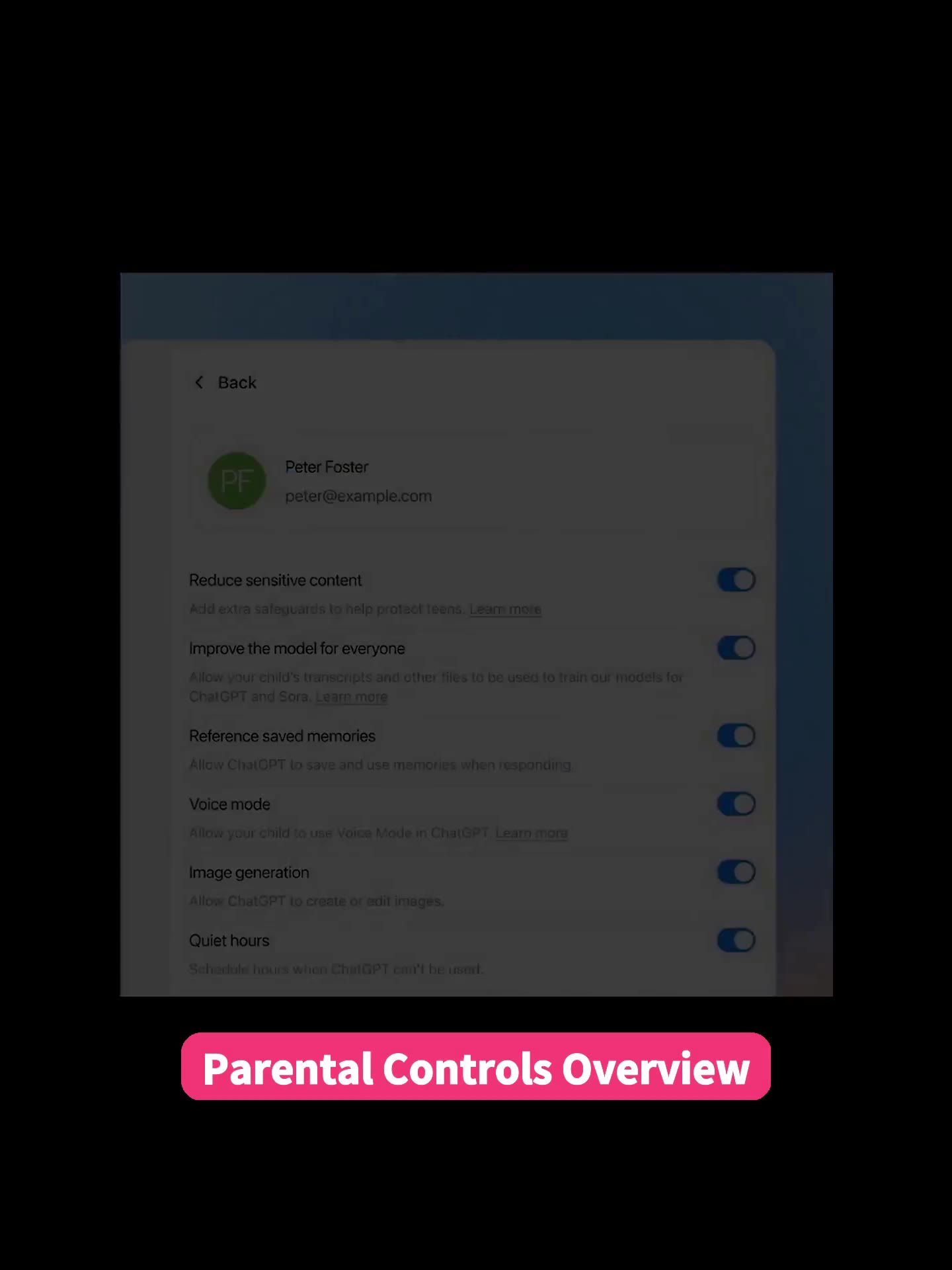
ChatGPT’s parental controls focus on setting boundaries for use, not on monitoring every interaction. Depending on the available settings, parents can manage several areas:
- **Sensitive content:** Add extra protection against sensitive or age-inappropriate material.
- **Voice Mode:** Allow or disable voice conversations.
- **Image generation:** Permit or prevent image creation and editing.
- **Saved memories:** Decide whether ChatGPT can retain information to personalize future responses.
- **Model improvement:** Choose whether the teen’s conversations may be used to help improve OpenAI’s models.
- **Study Mode:** Have eligible new conversations begin in a learning-focused mode.
- **Study Hours:** Schedule times when eligible new chats automatically start in Study Mode.
- **Quiet Hours:** Schedule periods when the teen cannot use ChatGPT.
- **Some work-related capabilities:** Controls may also cover features such as Codex network access and the Cloud browser.
These options let parents choose limits that fit their household. A younger teen may need tighter boundaries, while an older teen may benefit from more independence paired with clear expectations.
Study Hours and Quiet Hours Are Different
The two time-based settings serve different purposes.
**Study Hours** do not block access to ChatGPT. Instead, during the scheduled period, eligible new conversations start in Study Mode. This can be useful during homework time when you want to encourage focused use rather than prevent access entirely.
**Quiet Hours** are stricter. During the scheduled window, the linked teen account cannot use ChatGPT. Families might use this option during sleep hours, meals, or times set aside for offline activities.
A practical approach is to use Study Hours first when the aim is better habits, then reserve Quiet Hours for times when no access is appropriate.
Can Parents Read a Teen’s Chat History?
No. Parental Controls do not give parents access to a teenager’s conversation transcripts, chat history, or real-time activity.
This is an important limit to understand before linking accounts. These controls are intended to manage features and access, not to function like a tool to monitor kids’ phones or secretly review private messages.
Privacy can be especially important when a teenager is asking questions they feel uncomfortable raising at home. At the same time, privacy does not remove the need for communication. Parents should make it clear that a teen can come to them, another trusted adult, or an appropriate support service when a topic feels serious or overwhelming.
When Parents May Receive Safety Notifications

Linked accounts can trigger a parent notification in limited, serious safety situations. OpenAI says specially trained reviewers may assess serious self-harm concerns, and a parent may also be notified if a teen account is deactivated for conversations involving acts of violence.
A notification does not include the teen’s chat transcript. It signals a concern without providing a record of the private discussion.
OpenAI has also said it is expanding teen safeguards and notifications, including additional support related to eating disorders. Families should view notifications as a prompt to check in calmly and directly, not as proof that they know the full situation.
Privacy, Independence, and Family Communication
Either the parent or teen can unlink their accounts. If a teen unlinks the connection, the parent is notified. When an account is identified as belonging to someone aged 18 or older, the parental-control link and teen protections are removed.
ChatGPT for Teens offers a middle path between unrestricted access and constant surveillance. It adds built-in safeguards, gives parents meaningful settings, and preserves private conversations.
Conclusion
ChatGPT’s teen parental controls can help you set sensible boundaries around sensitive content, features, learning time, and access hours, but they cannot replace an honest conversation. Start by linking accounts only after discussing expectations with your teenager, then choose a small set of settings that supports both safety and trust.
Tags: ChatGPT Teen Safety, keep kids safe online, Kids Safety, monitor kids’ phones, News, Online Safety for Kids, parental controls, protect kids from online safety, Protecting Children from Online Dangers, Screen time
Category: Learning & How to