How to Monitor Kids’ Online Search Habits to Keep Them Safe? 2026
Children today spend more time online than ever, from homework research to social media and gaming. While the internet is a powerful learning tool, unmonitored searches can expose kids to unsafe content, scams, or misleading information. Learning how to Monitor Kids’ Online Search Habits early helps parents guide safer browsing and reduce potential risks.
Why Monitoring Kids’ Search Habits Is Essential
Keeping track of how children search online helps parents identify potential risks, encourage safer habits, and teach responsible internet use. Here are three key reasons why monitoring their search behavior is so important.
Children Are Easily Exposed to Unsafe Content
Kids can accidentally come across harmful or inappropriate material while searching online. Without guidance, they may click unsafe links or be misled by false information. Monitoring their searches early helps parents spot risks and protect children from unsafe content.
According to a 2023 report by Common Sense Media, 45% of children aged 8–14 have accidentally encountered inappropriate online content.
Early Habits Shape Long-Term Online Behavior
Teaching children healthy search habits from an early age helps them develop responsible online behavior. By learning to question suspicious results, use age-appropriate keywords, and avoid risky sites, children build safe and confident browsing habits.
A 2022 survey from the National Cyber Security Alliance found that children taught safe online practices before age 12 were 50% more likely to maintain good digital habits in adolescence.
Parents Need Awareness Without Over-Control
Parents want to keep children safe without making them feel constantly watched. By learning to track child’s search activity online, families can maintain trust, encourage independence, and stay aware of potential risks.
72% of parents worry about online safety but prefer tools that respect children’s privacy.
5 Practical Ways to Track Kids’ Online Searches
These five practical tips help parents keep track of their children’s search activity online. Using them encourages safe browsing habits while giving parents confidence in guiding their kids’ internet use responsibly.
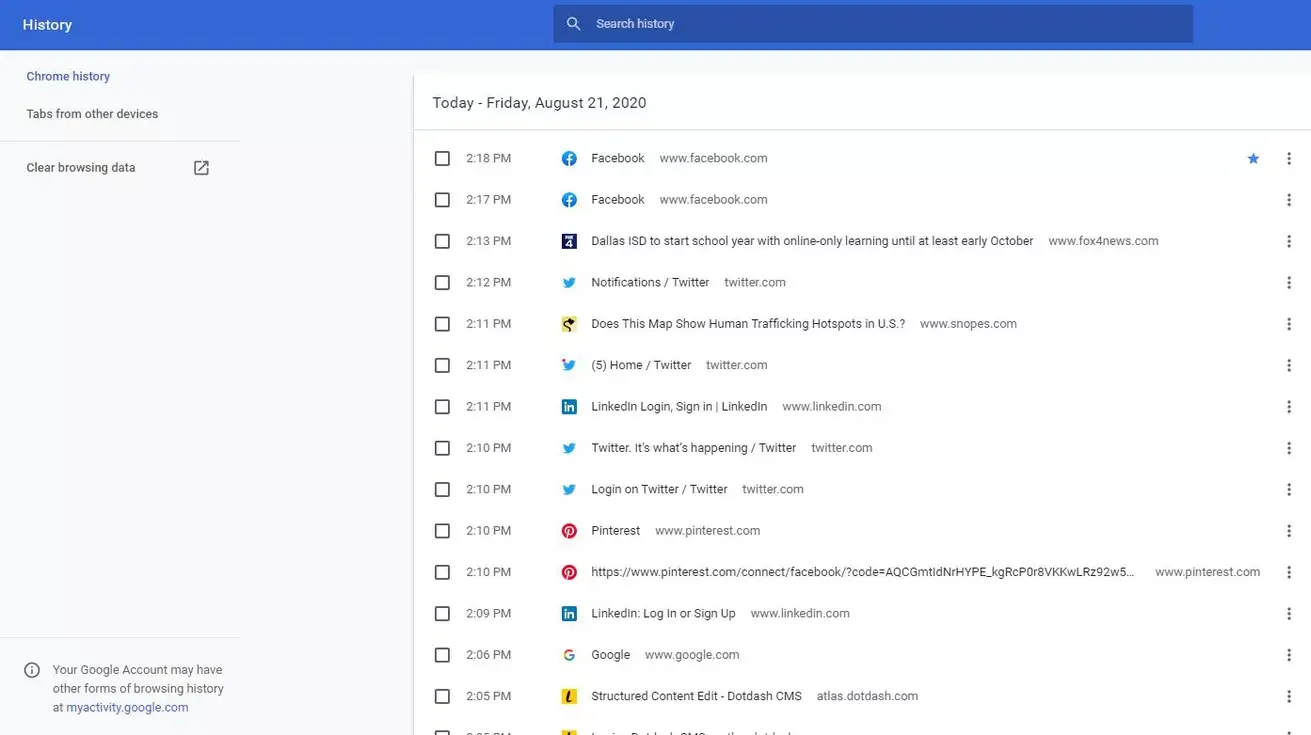
Tip 1: Review Search History Regularly
Regularly check your child’s online searches. Simple search history monitoring helps spot unsafe queries early and opens the door for calm discussions about making better choices online.
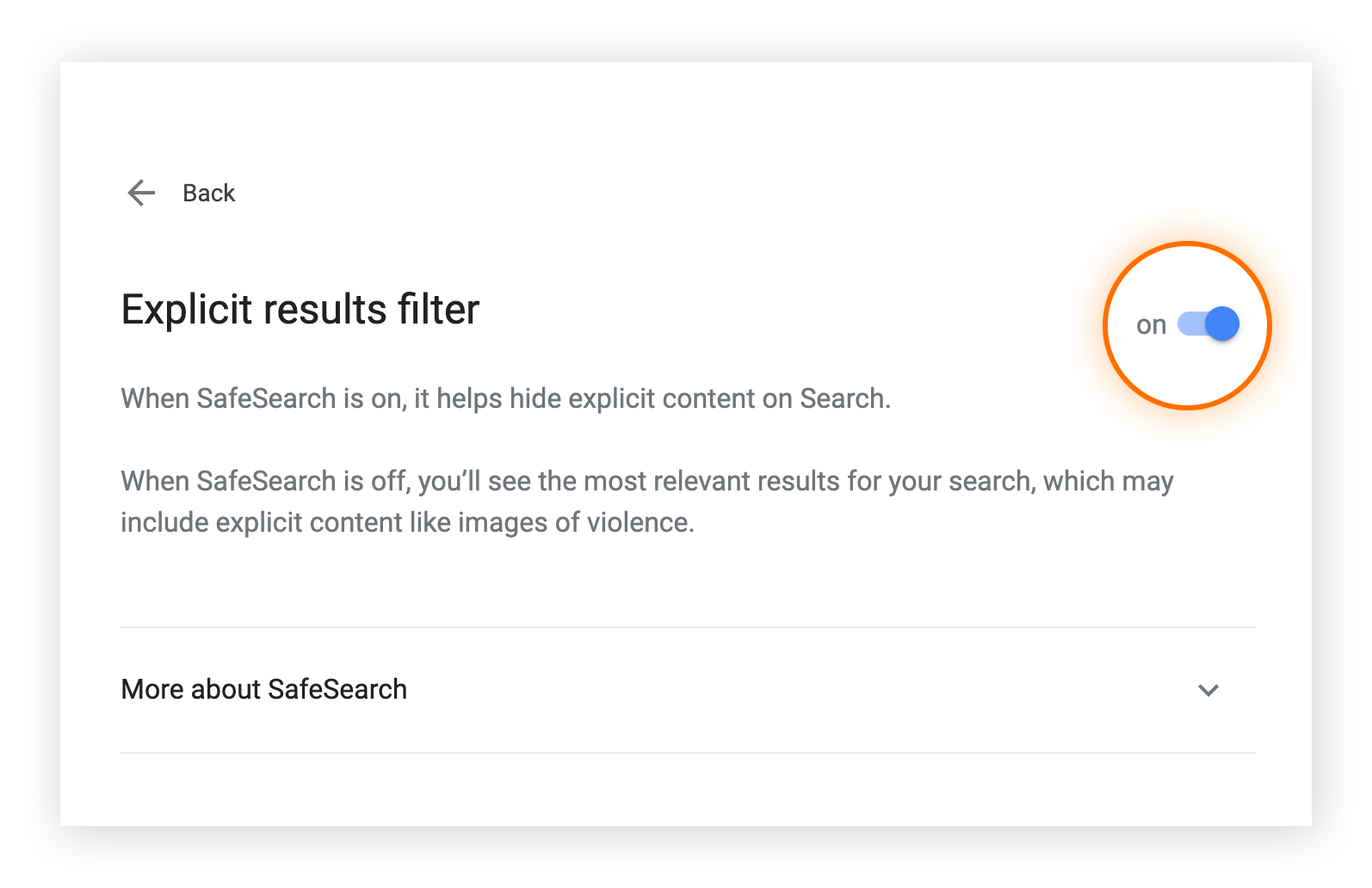
Tip 2: Enable SafeSearch on Browsers
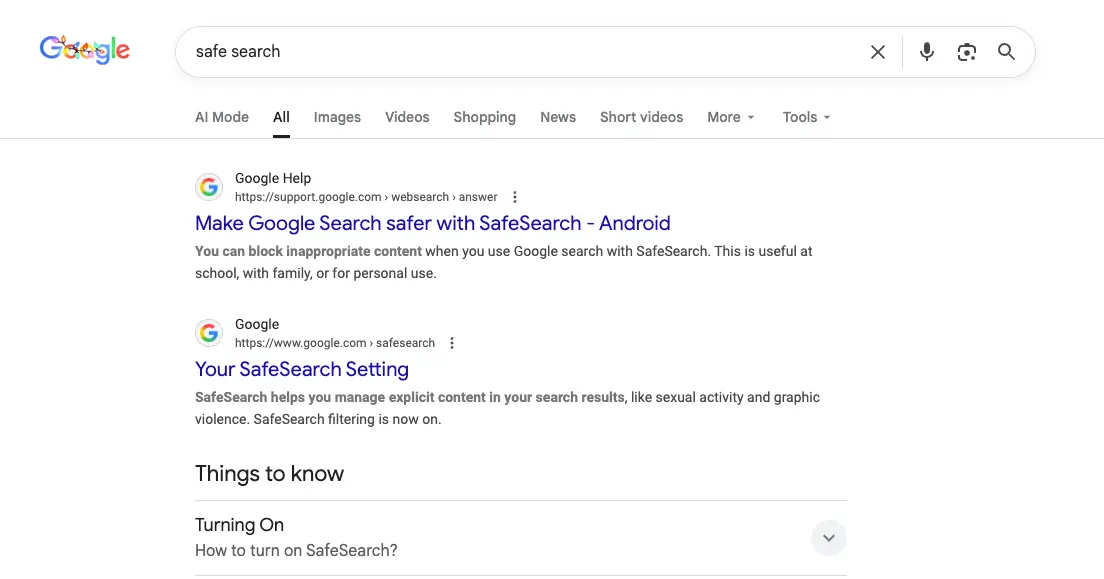
Turn on SafeSearch on Google, YouTube, and other platforms to automatically block explicit content. This ensures children see age-appropriate results and adds an essential layer of protection while browsing.
Tip 3: Educate Kids on Smart Searching
Teach children to use clear, age-appropriate search terms, question unusual results, and avoid risky sites. Learning these skills helps them keep track of their own search habits responsibly and develop safe browsing routines.
Tip 4: Encourage Open Communication
Remind your kids they can always discuss confusing or concerning online content with you. Open communication builds trust and makes them more likely to report potential risks early.

Tip 5: Use a Parental Control App
Parental control apps like iKeyMonitor allow you to filter websites and manage screen time. When combined with web search history monitoring, parents can guide safe browsing habits without constant supervision.

Track Web Search History and Keep Kids Safe with iKeyMonitor
Besides the tips mentioned above, if you want stronger protection for your child’s online activity, iKeyMonitor is an excellent choice. It is a powerful parental monitoring app that helps parents monitor kids’ web browsing history, block risks, and stay informed in real time.
Track Web Browsing History to Monitor Kids’ Searches
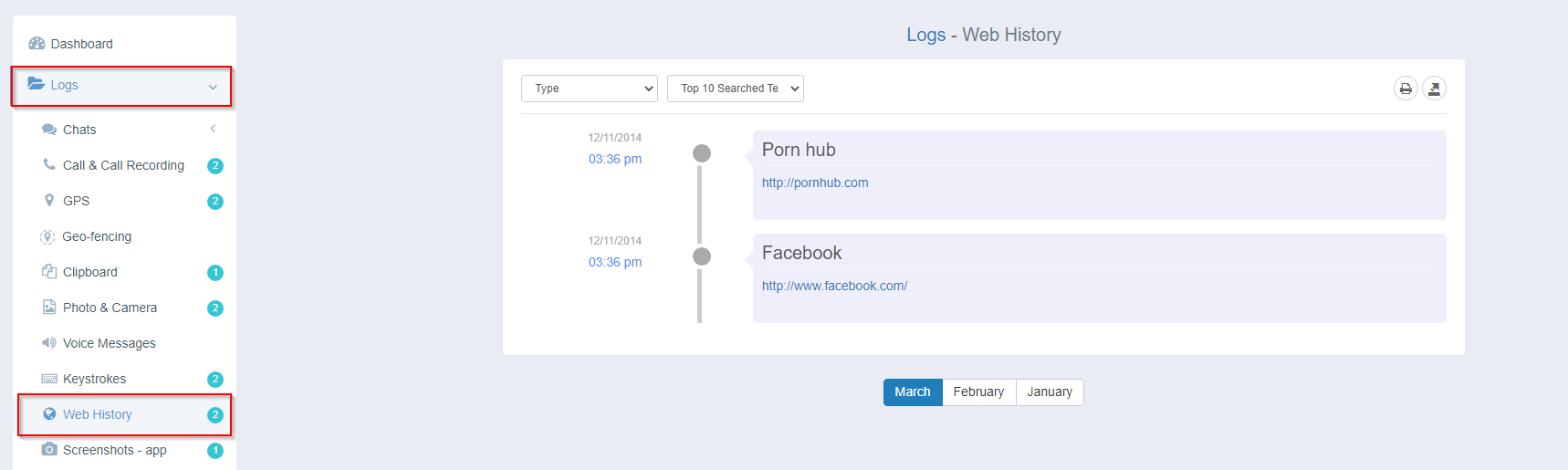
With iKeyMonitor, you can track your child’s web browsing history in real time. This helps you see which websites they visit and prevent access to unsafe or harmful online content.
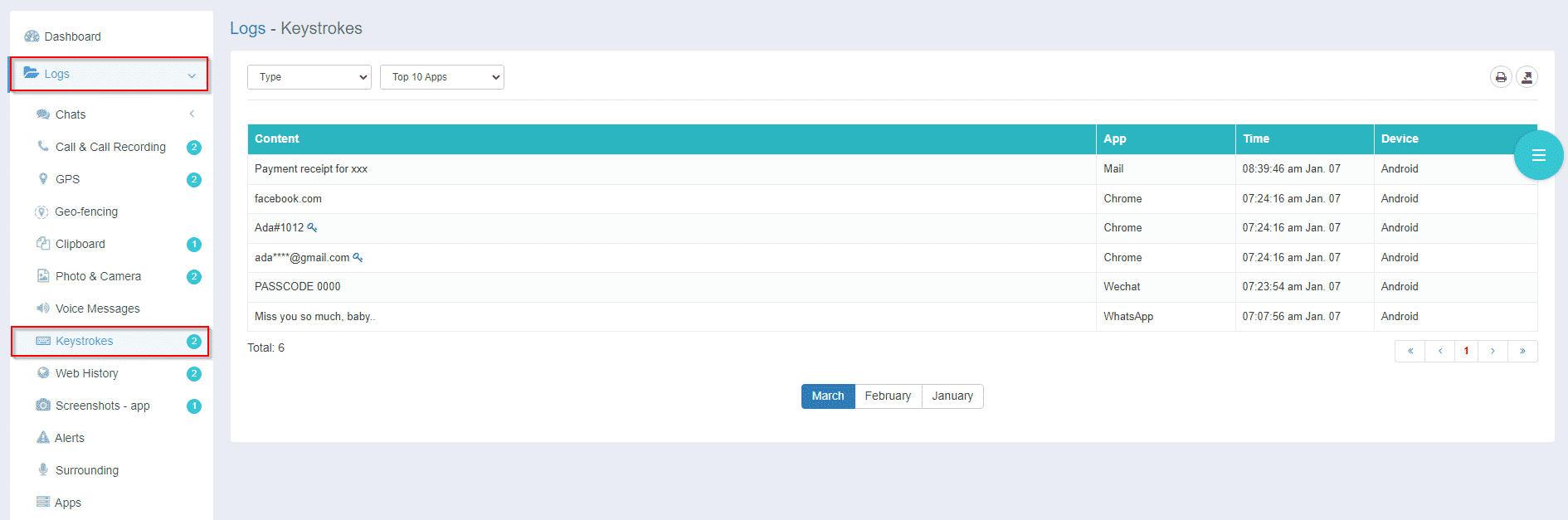
Log Inputted Keystrokes to Review Search Activity
iKeyMonitor allows you to record what your child types on their device, including search words and messages. This can reveal risky behavior early before problems get worse.
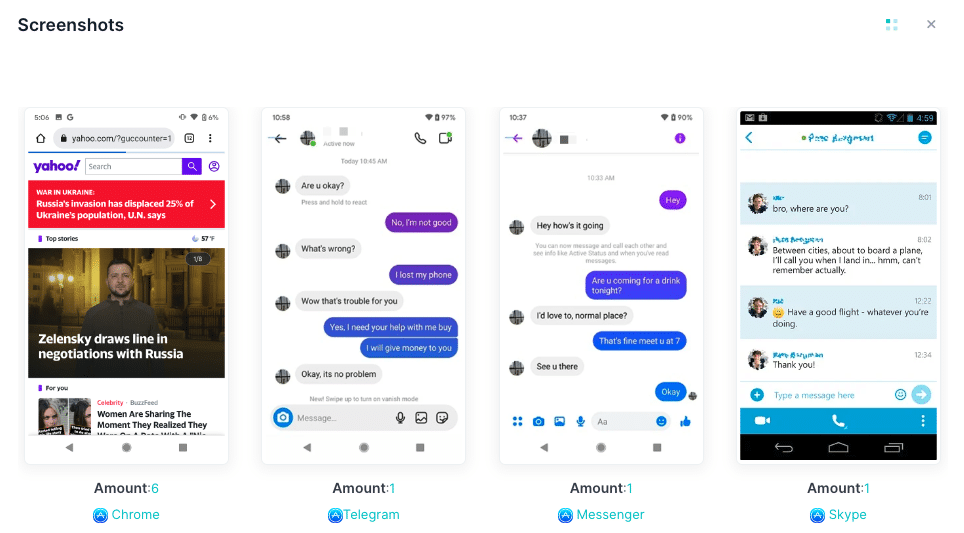
Capture Screenshots to Check Online Searches
The app can automatically capture screenshots of your child’s screen. This helps you clearly see what happens in apps, games, and messages when concerns arise.
Block Specific Apps That May Affect Safe Searching
By using iKeyMonitor, parents can block apps that are unsafe, distracting, or not age-appropriate. This helps control screen time and reduce exposure to harmful platforms.

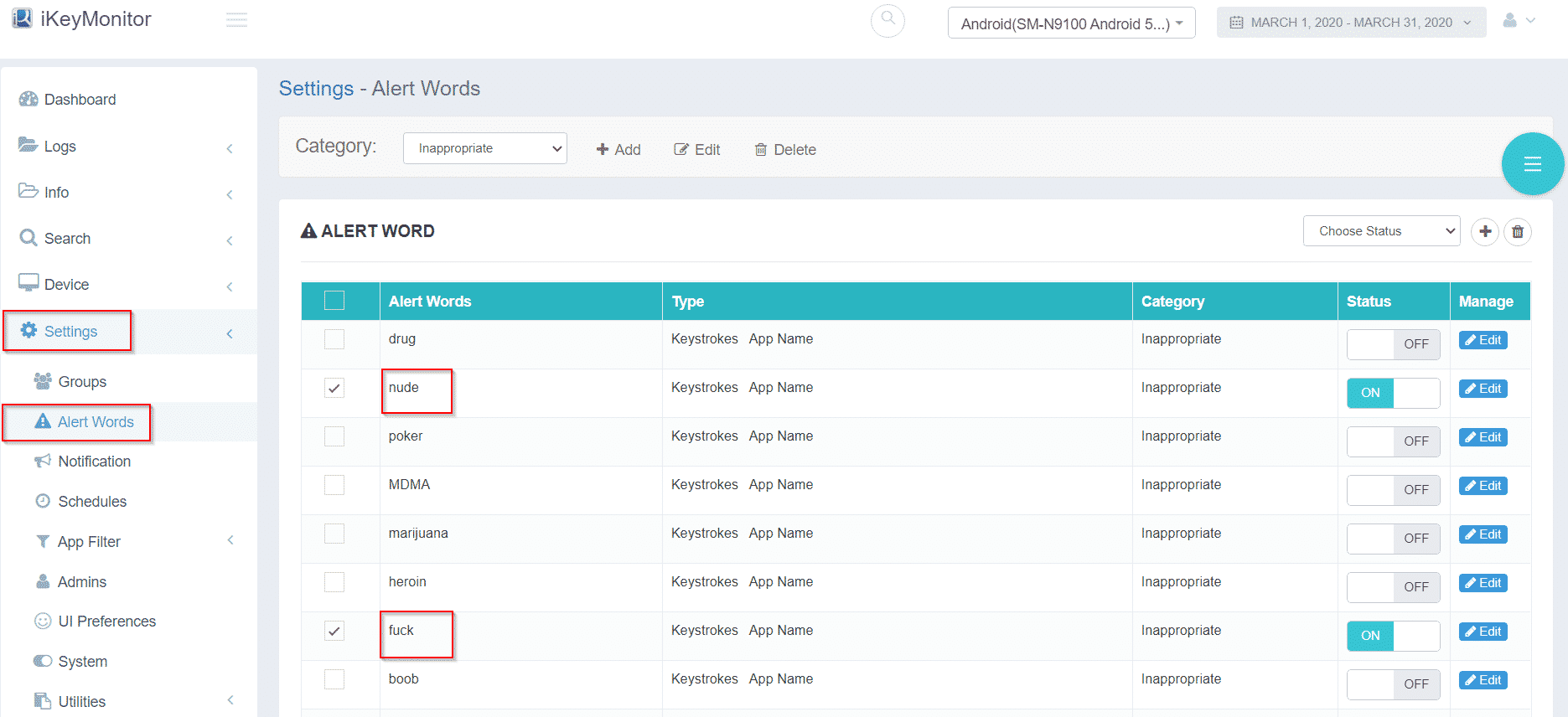
Receive Instant Alerts for Risky Search Behavior
With iKeyMonitor, you receive alerts when risky behavior is detected. This allows fast action while still giving children room to explore the internet safely.
Additional Tips to Reinforce Safe Search Habits at Home
Beyond the main tips, parents can use these simple strategies to reinforce safe search habits at home in a natural and consistent way.
- Turn Search Safety Into a Game: Reward children for safe browsing behavior or spotting suspicious links. Making safety fun keeps kids involved.
- Monthly Security Check-In: Review new searches, browsing patterns, and unusual activity once a month to strengthen good habits.
- Lead by Example: Children copy what they see. If you practice safe browsing yourself, they will follow naturally.
Frequently Asked Questions About Kids’ Online Search Monitoring
Q1: At what age should I start monitoring my child’s searches?
Many families start between ages 8–10, especially when children begin using school platforms, search engines, or online games independently.
Q2: Are monitoring tools safe for children?
Yes. Trusted tools like iKeyMonitor are designed to protect privacy while giving parents the awareness needed to guide safe behavior.
Q3: Can SafeSearch completely block unsafe content?
SafeSearch helps a lot, but it is not perfect. Combining it with parental monitoring and communication works best.
Q4: How can I help my child follow safe search habits?
Teach smart searching, talk openly, praise good choices, and set a positive example through your own online behavior.
Q5: What if my child tries to bypass filters?
Monitoring tools, alerts, and regular talks help catch this early and turn it into a learning moment instead of just a punishment.
Conclusion
Learning how to Monitor Kids’ Online Search Habits helps parents protect children from harmful content while supporting healthy digital growth. By combining guidance, smart tools, and apps like iKeyMonitor, families can build strong online safety habits that last.
Tags: Monitor Kids’ Online Search Habits, safe browsing, search history monitoring, track child’s search activity online, web search history monitoring
Category: Learning & How to