How to Handle Lost or Stolen Kids’ Devices? 2026
Every parent worries when their child loses an electronic device. Children’s phones, tablets, and laptops store not only apps and photos, but also text messages, passwords, contacts, and account information. If these devices are lost or stolen, others could access your child’s private information or use it for harmful purposes. Understanding how to handle lost or stolen kids’ devices can help protect your child and their personal information.
Why You Must Act Quickly to Handle Lost or Stolen Kids’ Devices
When a child’s device goes missing, acting fast can stop problems from getting worse. Quick steps can keep their personal messages, photos, and accounts safe and prevent someone else from using the device. It also helps your child feel less worried or upset. Here are three clear reasons why you should act right away.
Protect Your Child’s Personal Information
Kids’ devices often store sensitive data, including personal photos, chat logs, and login credentials. If these fall into the wrong hands, it could compromise your child’s privacy.
A 2023 Norton survey revealed that 60% of parents worry that lost devices could expose their children’s personal information.
Prevent Unauthorized Access to Online Accounts
Lost devices can provide hackers or strangers access to your child’s email, social media, gaming accounts, and even school portals. This unauthorized access can lead to online fraud, cyberbullying, or misuse of private information.
Cybersecurity Ventures reported that 43% of stolen kids’ phones experience unauthorized logins within 24 hours.
Maintain Your Child’s Mental and Emotional Wellbeing
Children often feel anxious or stressed when they lose their devices, as these gadgets are often integral to their daily routine. Quick action reassures them and provides a sense of security, showing that their parents are in control.
Pew Research Center found that 52% of children reported feeling anxious when their device was lost.
Effective Strategies for Recovering Stolen Kids’ Phones (5 Tips)
Keeping your child’s device safe takes more than luck—it takes action. These five practical tips can lower the risk of loss or theft, protect personal information, and help your child learn good habits for using their device. This section also explains what to do if your child’s device is lost or stolen.
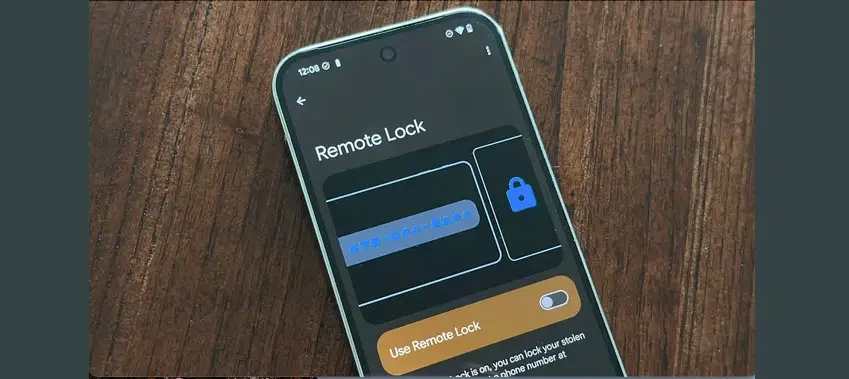
Tip 1: Enable Remote Lock and Wipe Features
Before anything happens, make sure your child’s device can be locked or wiped remotely. This lets you lock the phone or erase private information if it’s lost or stolen, stopping anyone else from seeing messages, photos, or other personal data.
Tip 2: Use a Tracking App
Put a tracking app like iKeyMonitor on your child’s device. These apps can help you find kids’ lost phones, lock them from afar, or even make the device sound an alarm if someone tries to take it. Some apps also send alerts if your child leaves or enters certain areas, giving you extra security.

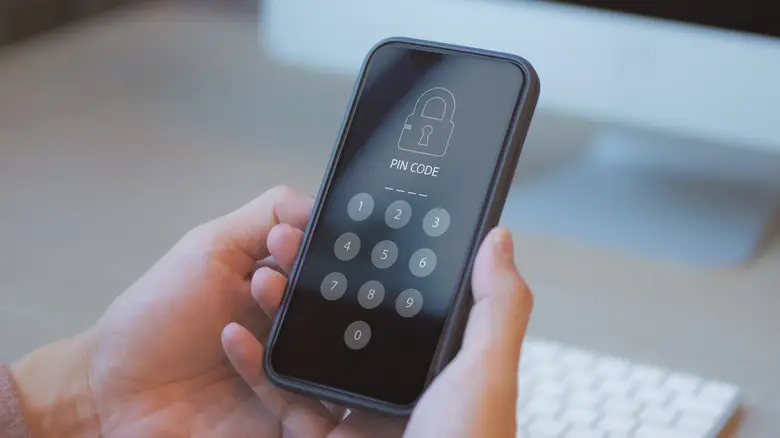
Tip 3: Set Up a Secure Lock Screen
Use a strong password, PIN, or fingerprint/face recognition on your child’s device. Changing passwords regularly and keeping the lock screen active will stop strangers from accessing personal data if the device is misplaced.
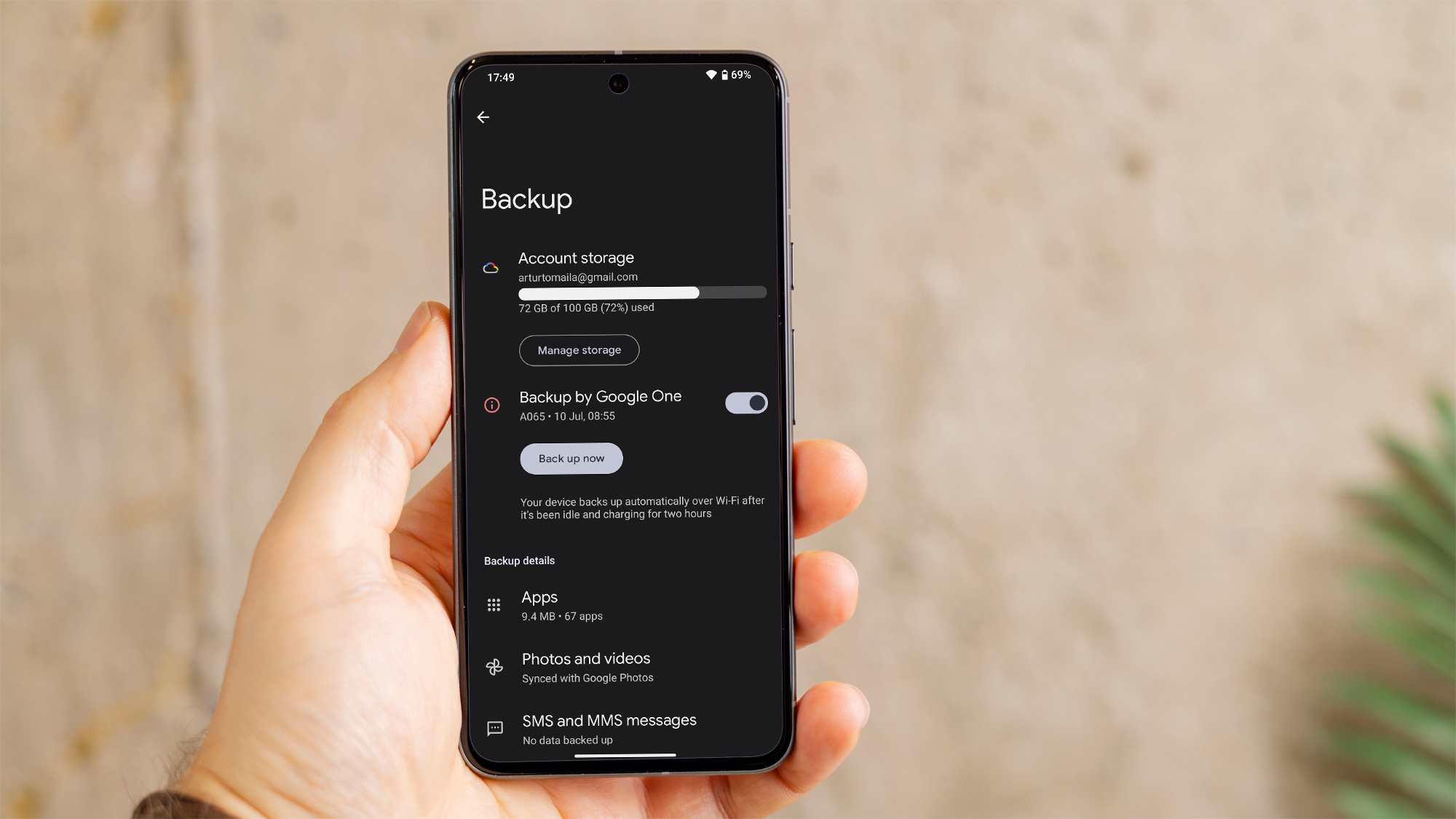
Tip 4: Back Up Data Regularly
Save your child’s important information—like photos, contacts, and app data—to a cloud service such as Google Drive, iCloud, or OneDrive. Regular backups mean you won’t lose valuable data and make it easier to recover stolen kids’ phones if the device can’t be found.
Tip 5: Educate Your Child About Device Safety
Talk to your child about how to take care of their device. Teach them to watch their surroundings, keep the device with them, and tell you if anything seems wrong. These habits lower the risk of losing the device and help your child understand how to recover lost phones safely.

Protect Kids’ Devices from Theft and Monitor Activity with iKeyMonitor
Besides the tips mentioned above, if you want to better protect your child’s online safety, iKeyMonitor is an excellent choice. iKeyMonitor is a powerful parental control app that not only monitors your child’s device but also helps you understand their online activities, prevent potential risks, and take action quickly to ensure their digital safety.
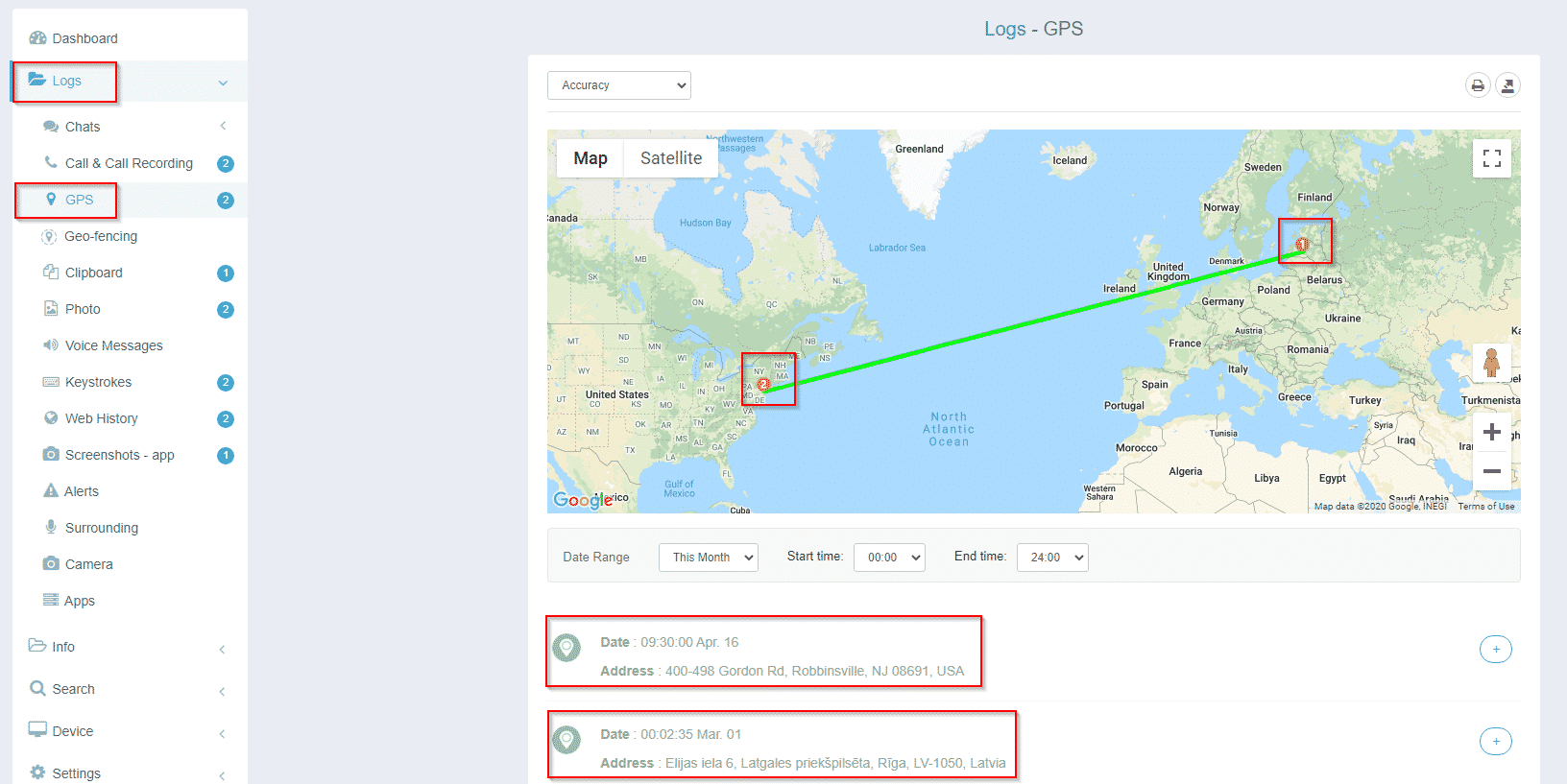
Track Your Child’s Device Location in Real-Time
iKeyMonitor lets you check where your child’s device is at any moment. This is useful if the device goes missing or if you want to make sure your child is safe on the way to school or at other locations.
Set Geofence to Monitor Your Child’s Boundaries
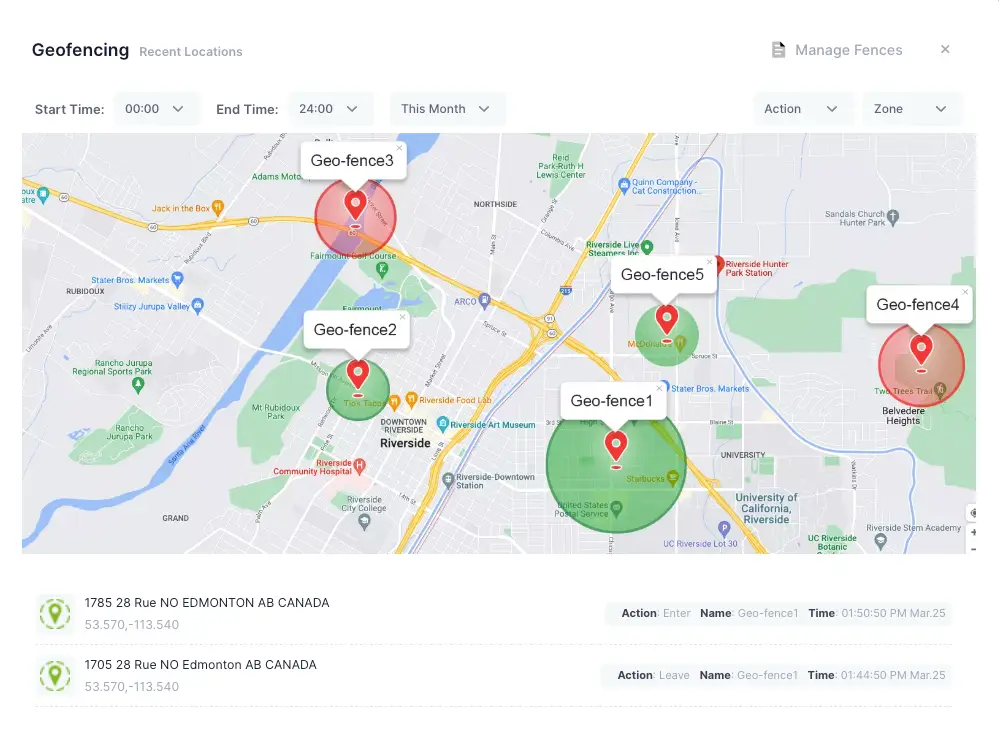
In addition to tracking location, iKeyMonitor enables you to set geofences for safe zones, like home or school. You’ll get alerts whenever your child enters or leaves these areas, so you can notice unusual movements right away.
Listen to Phone Surroundings to Ensure Safety
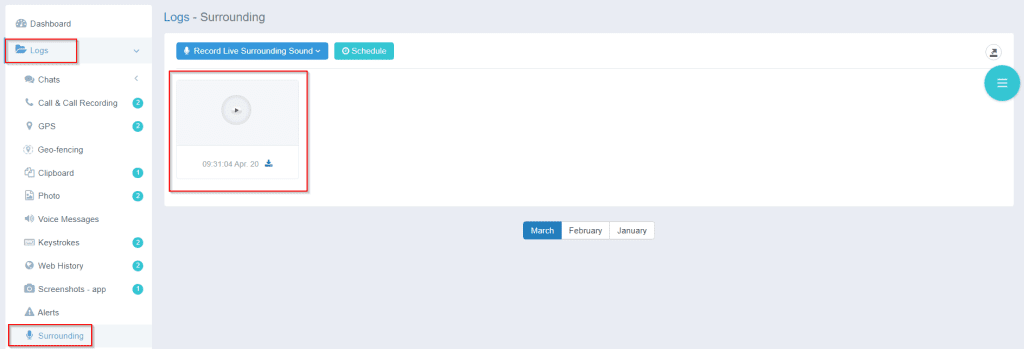
Another way to keep your child safe is by listening to the surroundings of their device. iKeyMonitor can pick up sounds around the phone, which can help you respond quickly in emergencies or unusual situations.
Monitor All Phone Activities
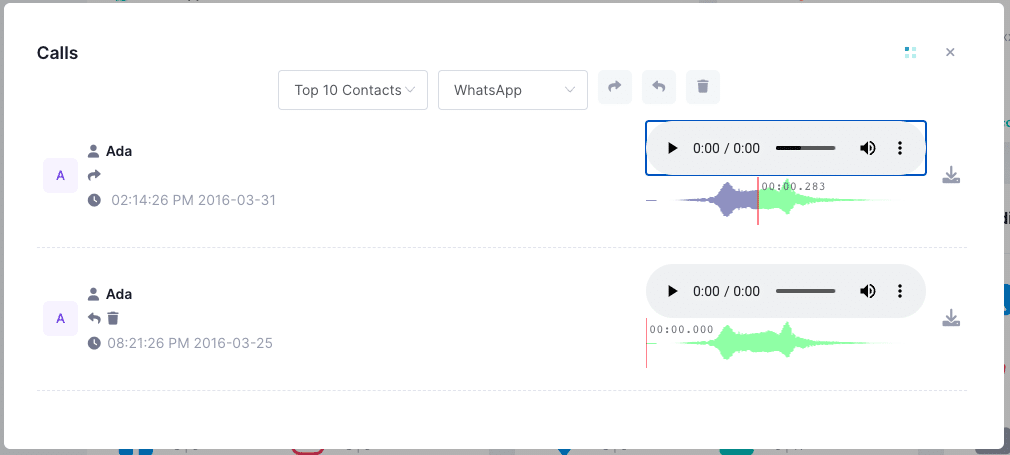
The App allows you to monitor calls, messages, app use, and online activity. By checking these activities, you can see how your child uses their device and spot potential risks before they become bigger problems.
Get Alert Notifications for Suspicious Behavior
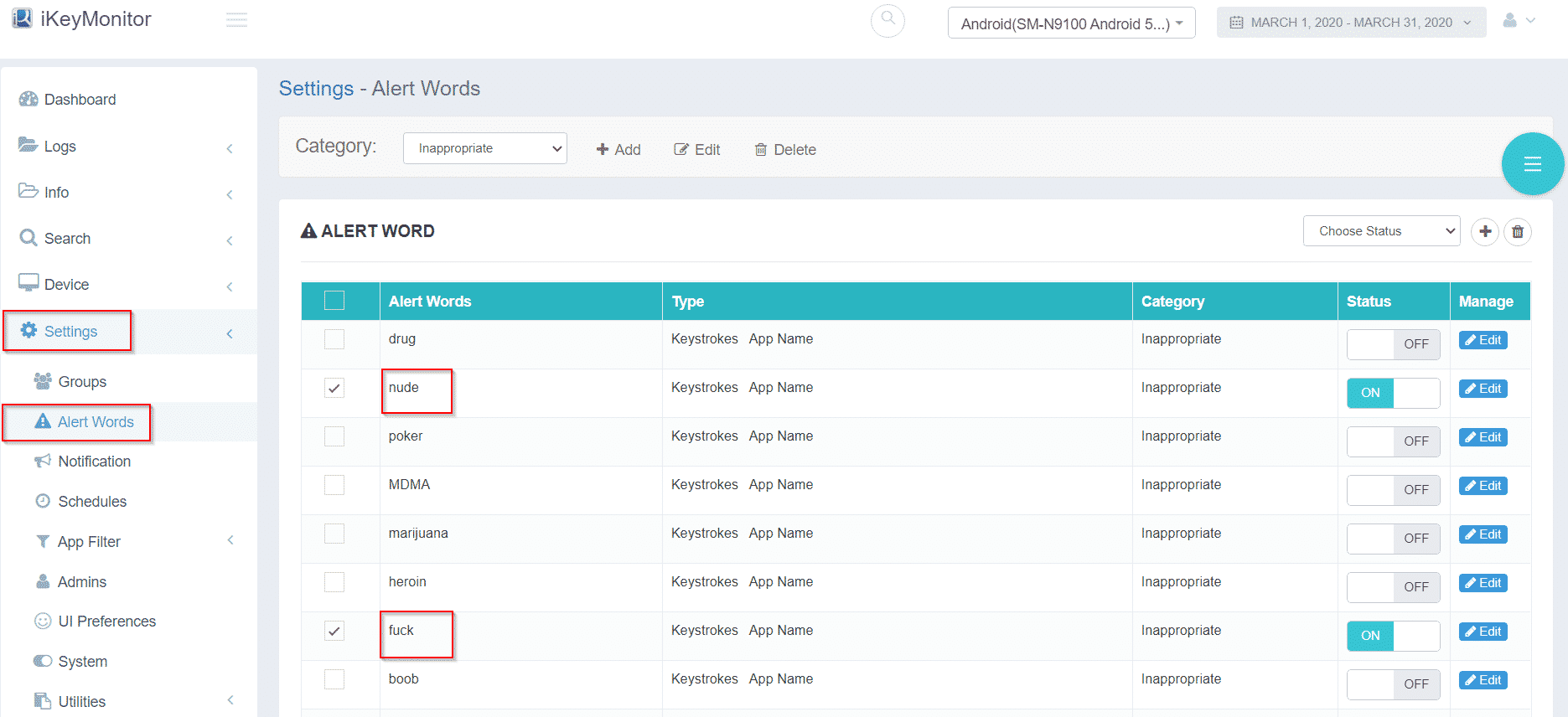
iKeyMonitor sends instant alerts if it detects risky or unusual activity. These notifications let you act quickly to protect your child and keep control over how their device is used.
Additional Tips to Recover Lost Phones and Prevent Theft
Even after using the main strategies, there are more steps you can take to keep your child’s device safe. These extra tips can protect their information, make it easier to recover a lost phone, and help you respond quickly if something goes wrong.
- Keep device serial numbers and IMEI codes handy to help law enforcement and service providers track or block lost devices efficiently.
- Report the loss immediately to your service provider and local authorities to maximize recovery chances and prevent fraudulent activity.
- Enable two-factor authentication (2FA) on all accounts accessed from your child’s device to add an extra layer of security against unauthorized access.
FAQs on What to Do If Your Child’s Device Is Lost or Stolen
Q1: Can a lost device be recovered without a tracking app?
Yes, sometimes devices can be found by retracing steps or through carrier services. However, tracking apps greatly increase the likelihood of quick recovery.
Q2: How soon should I report a lost device?
You should report it immediately to your service provider and local authorities to prevent unauthorized access and maximize recovery chances.
Q3: Is remote wiping safe for my child’s data?
Yes, as long as you regularly back up the data. Remote wiping protects sensitive information without permanently losing important files.
Q4: Can iKeyMonitor track my child’s device in real-time?
Absolutely. iKeyMonitor provides live location tracking, app monitoring, and notifications for any unusual activity.
Q5: How often should I back up my child’s device?
Automatic daily or weekly backups are recommended depending on usage. Regular backups ensure minimal loss of important data.
Conclusion
Knowing how to handle lost or stolen kids’ devices means being ready and taking action. By turning on security features, using a tracking app like iKeyMonitor, backing up important data, and teaching your child safe device habits, you can keep their information private and act quickly if a device goes missing. These steps help your child stay safe and give you control, even when things don’t go as planned.

Tags: find kids’ lost phones, handle lost or stolen kids' devices, recover lost phones, recover stolen kids’ phones, what to do if your child’s device is lost or stolen
Category: Learning & How to