How to Teach Kids to Avoid Online Distractions and Stay Focused 2026
Online distractions are everywhere—autoplay videos, flashy ads, gaming prompts, and endless notifications can pull children away from safe and productive activities. Helping children learn how to avoid online distractions and manage their screen time is essential for their focus, safety, and overall well-being. This guide provides practical tips, effective strategies, and tools parents can use to help children stay focused online.
Why Teaching Kids to Avoid Online Distractions Matters
Understanding the impact of online distractions is essential for parents who want to help children develop focus, healthy habits, and safe online behavior. In today’s digital world, children are constantly exposed to autoplay videos, ads, games, and notifications that compete for their attention. Without guidance, these distractions can affect learning, mental health, and overall well-being. Here are three key reasons why parents should focus on ways to avoid online distractions:
Improve Focus and Academic Performance
Children who are distracted by online content often struggle to complete homework or concentrate on learning tasks. Helping children apply strategies to avoid online distractions can boost their attention span and school performance.
“A 2022 study by Common Sense Media found that 63% of children report being distracted by apps and videos while doing homework, negatively affecting their academic performance.”
Support Mental Health
Excessive online distractions can lead to stress, anxiety, and poor sleep habits. Guiding children to reduce online distractions supports their emotional well-being and encourages healthier routines.
“Research from the American Academy of Pediatrics (2021) shows that children who spend more than 3 hours a day on screens without breaks are 40% more likely to experience anxiety and disrupted sleep.”
Promote Safer Online Behavior
Teaching children to recognize and prevent online distractions reduces the likelihood of encountering inappropriate or risky content online.
“UNICEF reports that children who receive guidance on screen habits are 30% less likely to click on harmful links or interact with unsafe apps.”
Practical Tips to Help Kids Stay Focused Online
Once parents understand why avoiding online distractions is important, the next step is to implement practical strategies. The following five tips can help children stay attentive and safe while using devices:
Tips 1. Identify Common Distraction Triggers
Parents should explain how autoplay videos, flashy ads, reward loops, and in-game prompts are designed to grab attention. Recognizing these triggers is the first step in learning how to avoid online distractions.

Tips 2. Set Clear Screen Time Boundaries
Parents can establish daily or weekly screen time limits to help children stay focused online and maintain balance with homework, sleep, and offline activities.
Tips 3. Monitor Apps and Websites
Parents should regularly review which apps and websites children use. Using apps to avoid online distractions allows parents to identify potential risks early and guide children toward safer content.

Tips 4. Create Tech-Free Periods
Encouraging screen-free times during meals, family activities, or before bedtime helps children reduce online distractions and promotes better attention, social interaction, and sleep quality.

Tips 5. Leverage Parental Control Tools
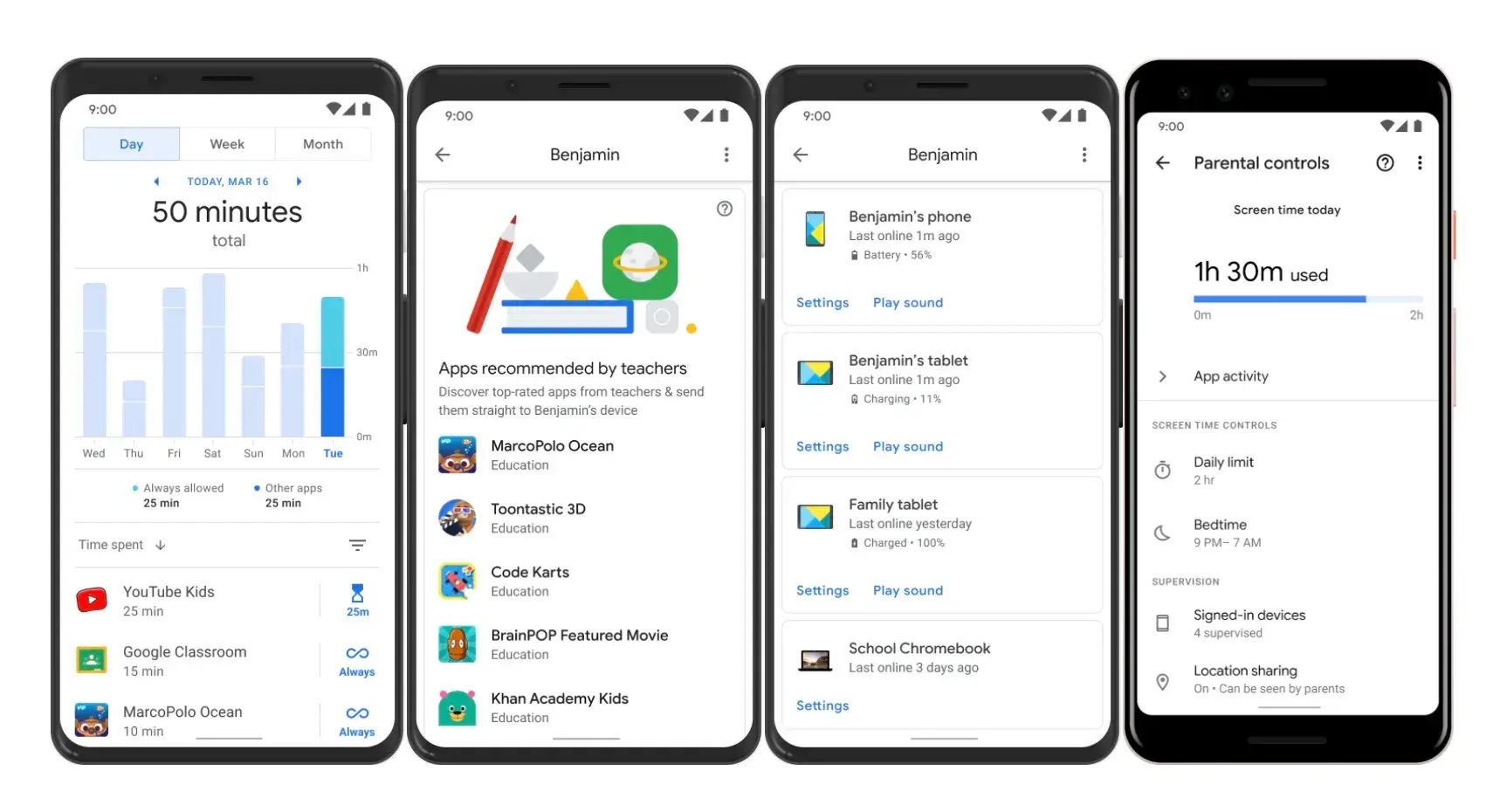
Parental control apps, such as iKeyMonitor or Google Family Link, help parents enforce screen time limits, block distracting apps, and monitor online activity. These tools guide children in learning ways to avoid online distractions.
Monitor and Protect Children’s Online Activity with iKeyMonitor
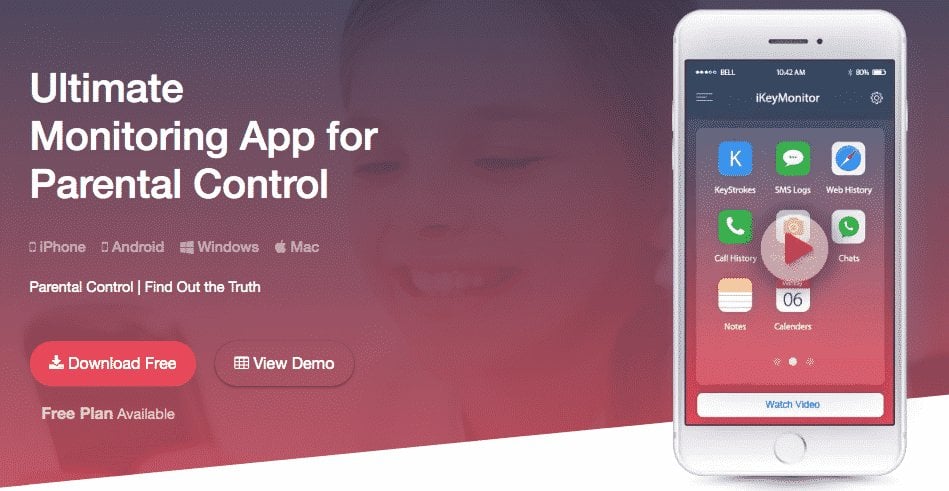
Besides the tips mentioned above, if parents want to better protect children and help them avoid online distractions, iKeyMonitor is an excellent choice. iKeyMonitor is a comprehensive parental control and monitoring app that allows parents to track children’s online activity, set screen time limits, block inappropriate apps or games, receive alerts for risky behavior, and monitor app and website usage—all in one place. It helps parents guide children toward safer, more focused, and healthier online habits.
Limit Screen Time to Promote Healthy Habits
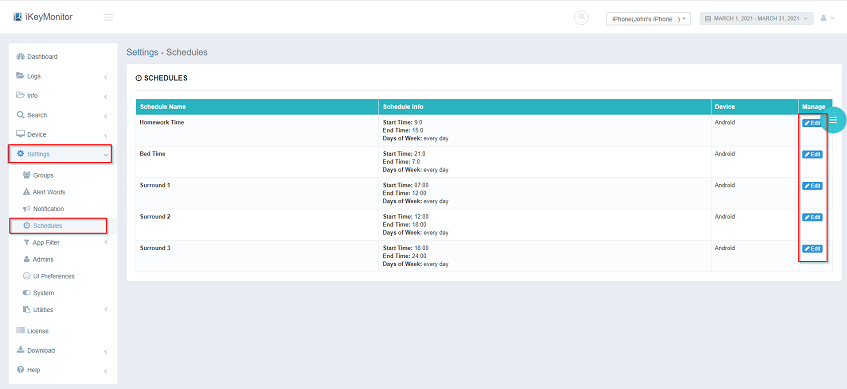
iKeyMonitor lets parents set daily or weekly limits on device usage. By controlling screen time, parents can help children avoid online distractions and focus on homework, rest, and offline activities.
Block Distracting or Inappropriate Apps and Games
The app allows parents to block apps or games that are inappropriate or distracting. Restricting access helps children stay focused online and develop better self-discipline.

Receive Alerts for Risky or Distracting Behavior
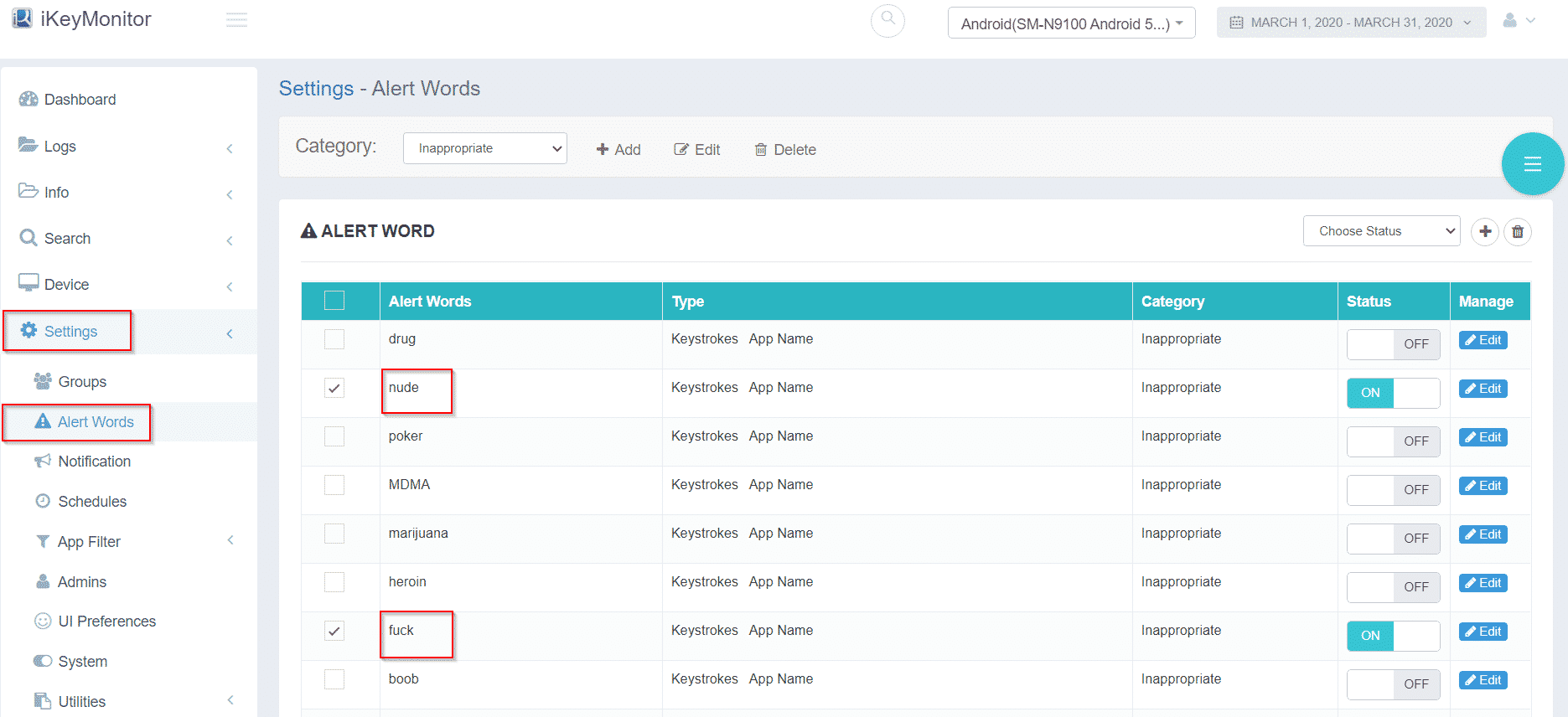
With iKeyMonitor, parents receive instant notifications if children attempt to access blocked apps or websites, or engage in risky online behavior. These alerts allow parents to intervene quickly and guide children in avoiding online distractions.
Monitor App and Website Usage to Support Focused Habits
By tracking the apps children use and the websites they visit, iKeyMonitor provides insights into their online habits. Parents can use this information to teach strategies to avoid online distractions and foster lasting focus.
Extra Tips to Minimize Distractions
Beyond the main tips, parents can further support children’s focus by creating structured routines and modeling healthy tech habits. This encourages children to develop long-term concentration skills and naturally avoid online distractions.
- Encourage short breaks every 30–45 minutes when using screens to maintain focus.
- Set up a quiet, distraction-free workspace for studying or learning activities.
- Model healthy screen habits by limiting personal device use around children.
FAQs About Avoiding Online Distractions
Q1. When should I start teaching children about online distractions?
Parents can start as soon as children begin using devices independently. Even young children benefit from learning basic rules for how to avoid online distractions.
Q2. How can I enforce screen time limits without conflict?
Setting clear expectations, involving children in creating rules, and using parental control tools or apps to avoid online distractions consistently can help.
Q3. Are parental control apps necessary for responsible children?
Even responsible children can get distracted. Tools like iKeyMonitor reinforce strategies to avoid online distractions and provide a safety net.
Q4. How do I know if children struggle with online distractions?
Signs include difficulty completing homework, multitasking with devices, irritability when offline, and disrupted sleep.
Q5. Will monitoring apps like iKeyMonitor invade children’s privacy?
Using monitoring tools transparently, explaining their purpose for safety, and combining them with open communication helps maintain trust while supporting prevention of online distractions.
Conclusion
Helping children avoid online distractions is essential for focus, mental health, and safety. By combining practical tips, structured routines, and supportive tools like iKeyMonitor, parents can empower children to navigate the digital world responsibly and confidently.

Tags: apps to avoid online distractions, Avoid Online Distractions, reduce online distractions, strategies to avoid online distractions, ways to avoid online distractions
Category: Learning & How to